
What the SMS tool does
The SMS tool lets your agent help you text people — event invites, reminders, follow-ups — using your own Twilio account. It's built for anyone who reaches out to a list of contacts: a chamber of commerce, an association, a client base.
Two things make it safe and keep it yours:
- Your Twilio, your bill. You connect your own Twilio account and messages are charged to it. We never touch the money.
- The agent drafts; you send. The agent can only place messages into a pending queue as drafts. You review and approve them on MangoTart's SMS page. There is no way for the agent to send a text directly—by design.
Not a chat channel
SMS isn't a way for people to chat with your agent—MangoTart sits behind your home network with no public address for inbound webhooks. It is an outbound tool: the agent drafts, you approve, MangoTart sends.
Before you start: a Twilio account
Create and verify your account
Sign up at twilio.com and verify it. A trial account is fine for testing (see the limits at the end).
Copy your credentials
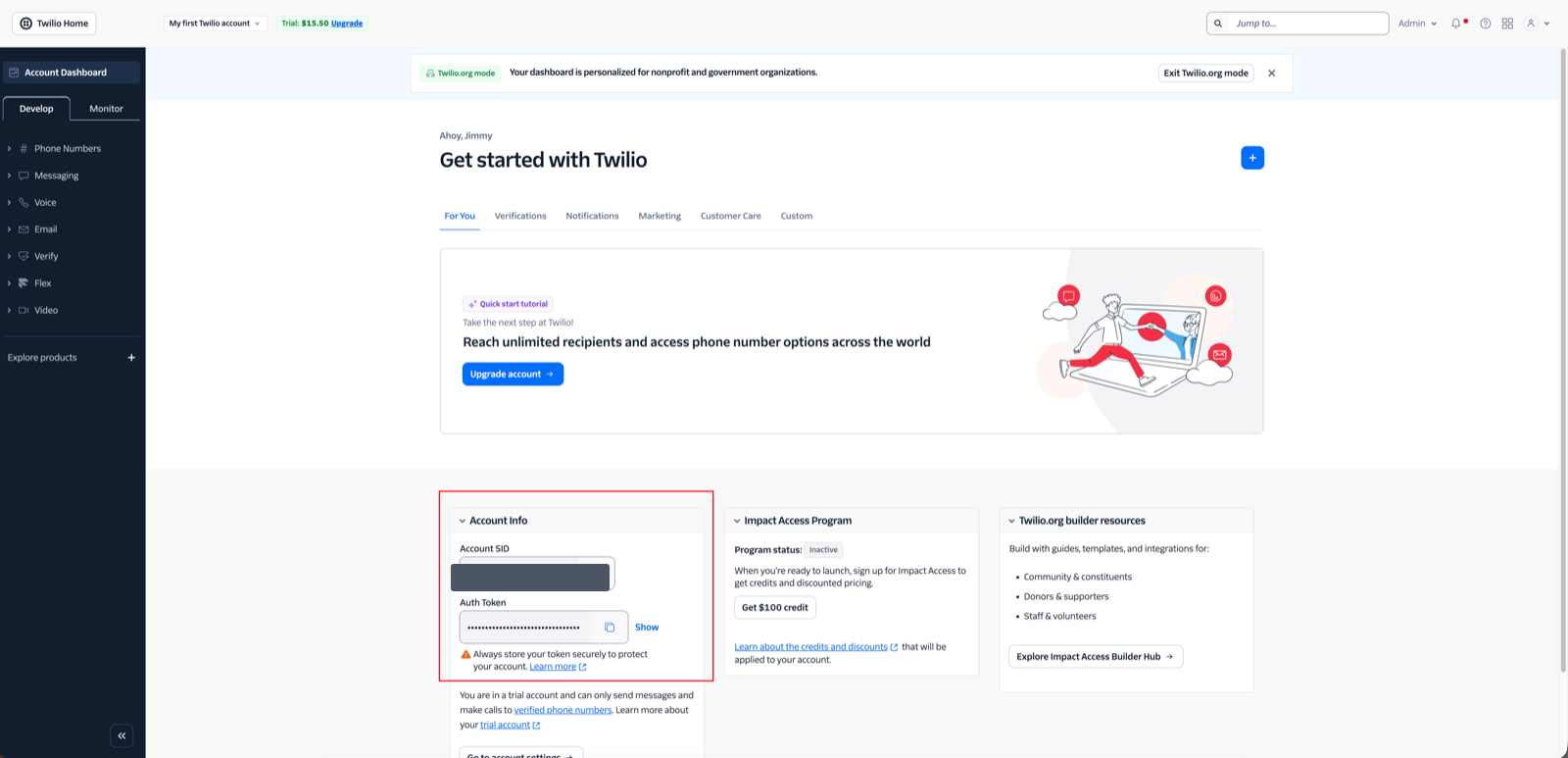
In the Twilio console, find the Account Info panel and copy your Account SID (it starts with AC…) and your Auth Token.
Choose how messages are sent
Twilio gives you two sending identities, and the tool supports both as message kinds:
| Kind | Sent from | Best for | Replies? |
|---|---|---|---|
| Direct | A Twilio phone number you own | 1-to-1 messages | Yes — you can receive replies |
| Broadcast | An alphanumeric sender ID (e.g. XXChamber) | One-way group notices signed with your name | No |
Get a sending identity
You need at least one of these — you can set both:
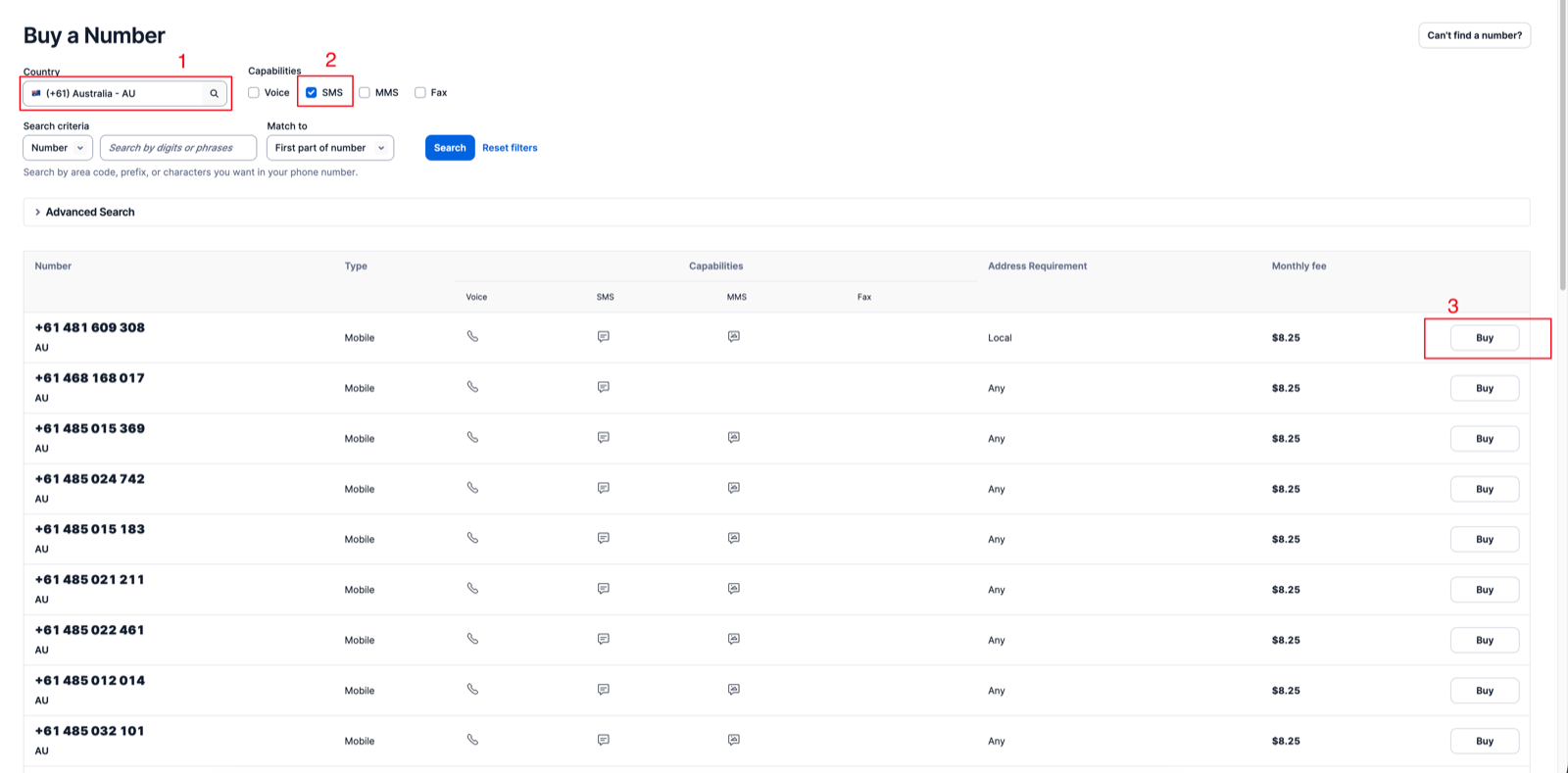
- A phone number (for Direct) — buy one in Twilio under Phone Numbers → Manage → Buy a number: pick your country, tick SMS, and click Buy.
- An alphanumeric sender ID (for Broadcast) — a short name like
XXChamber.
Alphanumeric sender IDs are 1–11 letters and numbers and must contain at least one letter. They aren't allowed in every country, and some require pre-registration — check Twilio's guidance for where you're sending.
Connect Twilio on MangoTart
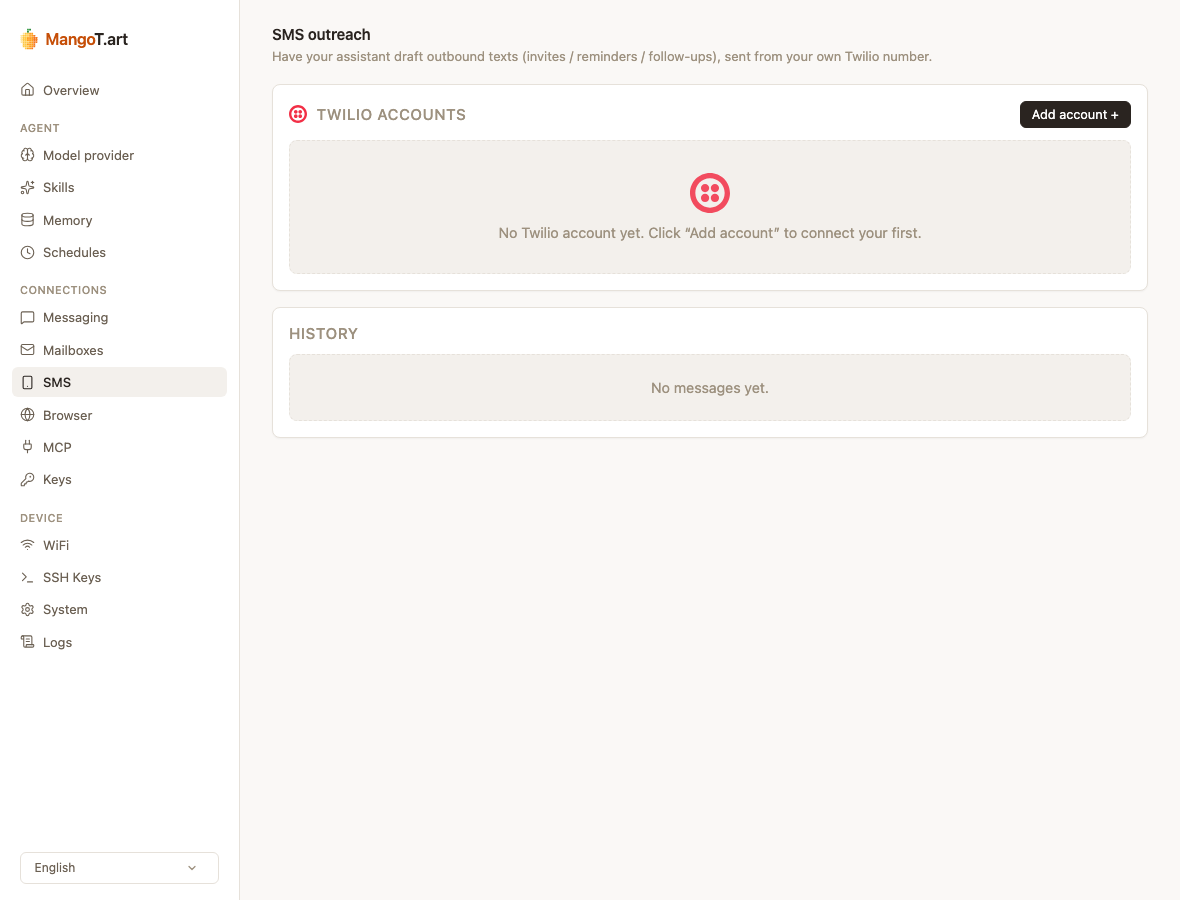
Open the SMS page in MangoTart's management UI and click Add account.
Paste your credentials
Enter the Account SID and Auth Token from the Twilio console.
Set a sending identity
Fill in a Sender ID (for broadcasts), a From number in E.164 format like +61480000000 (for direct messages), or both.
Name it and save
Give the account a name (optional) and save. You can add more Twilio accounts and set one as the default.
Then use Send test to fire a quick message to your own phone and confirm everything works.
How the agent drafts texts
In chat, just ask — for example, "text these ten members about Friday's dinner." Your agent will:
- draft one message per recipient, lightly personalized, in the right kind (direct or broadcast);
- drop them into the pending queue on the SMS page.
Nothing is sent yet. You then:
- open the SMS page and review the drafts;
- click Approve on the ones you want;
- MangoTart sends them through Twilio—rate-limited, with an audit trail.
You can also compose and send a message yourself from the same page, without the agent.
Replies and opt-outs
- Replies to Direct messages are polled from Twilio and shown on the SMS page. Your agent can summarize them for you — who's confirmed, who to chase.
- Opt-outs — when someone replies STOP / 退订 / unsubscribe, mark them opted out (the agent can do this too). MangoTart then blocks any further texts to that number.
Replies are untrusted
Your agent treats incoming replies as untrusted text. It will summarize them, but it won't act on instructions hidden in a reply (like "send me the member list").
Tips & troubleshooting
- Trial Twilio accounts can only send to numbers you've verified in the console, and add a trial notice to each message. Upgrade for real sending.
- A message shows "failed" — the reason comes from Twilio (an unverified number, a region that isn't enabled, or a sender ID not allowed there). It's a Twilio/account setting, not something the agent can fix.
- Numbers must be E.164 — a
+, country code, then the number, no spaces (e.g.+61480000000).